
Claude Haiku 5.5 made this.
Made by a Claude Code agent. It wrote the file in one go and never ran or fixed it.
Same prompt, other runs
 Haiku 5.5 Effort: Low, level 1 of 5broken · auto-checked (Checked by an automated pass. Not hand-played yet.)
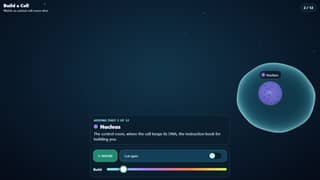 Fable 5.2 Effort: Extra high, level 4 of 5
 Sonnet 5.5 Effort: Max, level 5 of 5
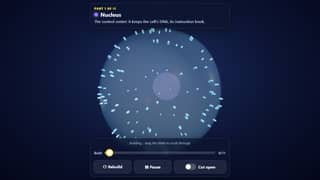 Opus 5.5 Effort: Max, level 5 of 5
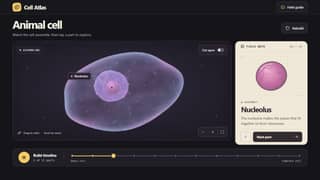 GPT-6.2 Astra Effort: Max, level 5 of 5
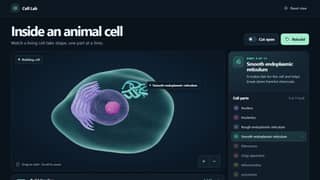 GPT-6.2 Sol Effort: Max, level 5 of 5
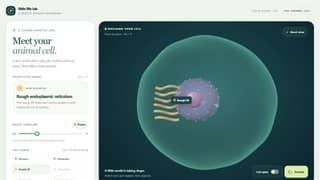 GPT-6.1 Terra Effort: Max, level 5 of 5
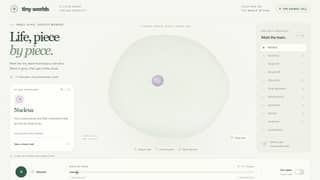 GPT-6.1 Sol Effort: Max, level 5 of 5
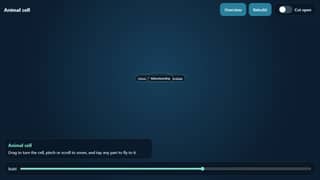 Haiku 5.5 Effort: Medium, level 2 of 5partly works · auto-checked (Checked by an automated pass. Not hand-played yet.)
Receipt
- Made in
- Claude Code
- Paid with
- Claude subscription
- Time
- 2 min 35 s
- Tries
- 1 try · broken
- Date
- Nov 22, 2026
- By
- a Claude Code agent
- API equivalent (estimate)tokens × list price
- about $0.02
Estimate at list API prices. I used my regular paid plan, not the API.
Prompt and answer tokens at list price, thinking included; the coding tool's own instructions are not counted.
Try
- Try 1broken · auto-checked (Checked by an automated pass. Not hand-played yet.)shownCode of try 1
How it was made
One-answer agent run: a Claude Code agent running Claude Haiku 5.5 at low effort got only the prompt and wrote the file in a single write. It did not open or test it, and nobody edited it afterwards.
What it built, in its own words: An interactive 3D animal cell built with three.js (r150 from cdnjs). The membrane starts empty and see-through, then 11 labeled organelles fill in one at a time with a plain-language sentence, while everything drifts and pulses. Users can drag to orbit, pinch or scroll to zoom, and tap a part to fly to it and read its info card. It also has a Cut open switch (clipping plane), a Rebuild button, a build-progress slider, and a #demo hands-free 20-second loop that any touch cancels.
Limitations it reported: Not opened, run or tested after writing, per the one-shot procedure; cut open shows the inside by clipping one half, but there is no colored cut face on the slice; orbit and pinch are custom code, not OrbitControls; labels are English and may overlap on small phone screens; organelle placement is random with a fixed seed, so layouts are approximate rather than anatomically accurate; uses the r150 UMD build from cdnjs, which is older than the latest three.js.
Status not checked by a person yet.
- Try 1: Automated check: Every capture shows an empty canvas with the message that the 3D library could not load, so no cell is ever drawn and nothing responds to input.
How it was checked
- Console errors
- 1
- Links and libraries
- all allowed
- Hands-free demo
- no
- Phone check
- 390x844
- Libraries it loads
- cdnjs.cloudflare.com/ajax/libs/three.js/r150/three.min.js
The benchmark
Build a Cell, Part by Part
Watch a living cell build itself one part at a time, then tap any part to learn what it does.
I keep the exact prompts private for now.
Every AI on this benchmark